How to hide GIF comments on YouTube
How to hide GIF comments on YouTube on a computer: turn on Hide GIFs in the free GIF Comments extension, and every GIF in the comments folds into a small "GIF hidden · Show" chip. YouTube itself has no setting to turn off GIF comments as of October 14, 2026.
Free · v1.1.0 · Chrome, Edge, Brave, Firefox · Store listings in review, install in 1 minute

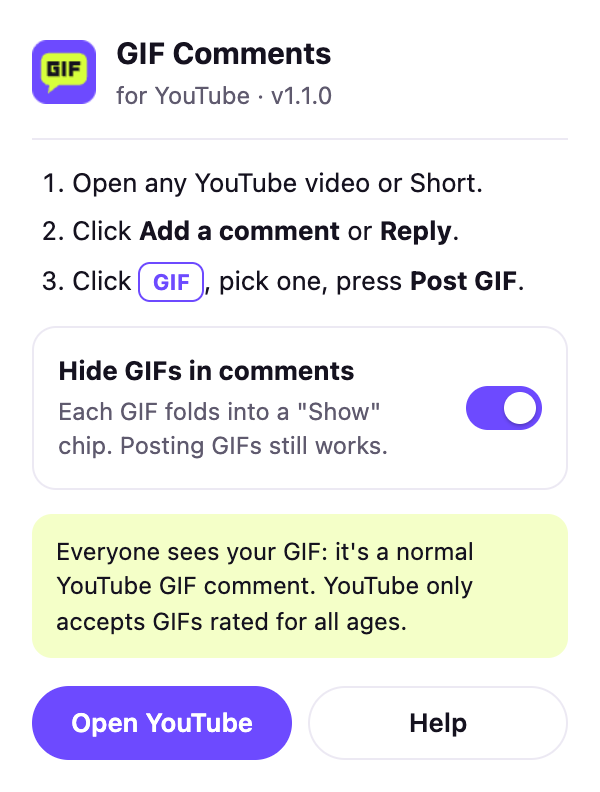
On a computer
Turn off GIF comments on YouTube desktop
Install GIF Comments
Free for Chrome, Edge, Brave and Firefox.
Click its icon
In the toolbar (pin it from the puzzle piece menu in Chrome).
Switch on Hide GIFs
Every GIF in YouTube comments folds away, on open tabs right away.
Open one if you like
Click Show on a chip to see that GIF. Switch off to bring them all back.


Free · v1.1.0 · Chrome, Edge, Brave, Firefox · Store listings in review, install in 1 minute
On a phone
Can you hide GIF comments in the YouTube app?
Not yet. The YouTube app has no switch to hide GIF comments, and apps can't take extensions. You can still report a GIF comment that breaks the rules from its three-dot menu, the same as any comment.
For creators
Managing GIF comments on your YouTube channel
Remove or report
A GIF comment is a comment: remove it or report it from YouTube Studio like any other.
Hide a user
Hide user from channel stops someone who keeps posting GIF spam.
Hold for review
Comment moderation settings can hold comments before they appear.
New moderation tools
YouTube announced a personalized moderation tool alongside GIF comments in September 2026.
Questions
How to hide GIF comments on YouTube: FAQ
Can you turn off GIF comments on YouTube?
Not in YouTube's settings as of October 14, 2026. On a computer, the GIF Comments extension hides them with one switch.
Does hiding GIFs remove them for everyone?
No. Hide GIFs only changes what you see in your browser. Other viewers still see the GIFs.
Can I still post GIFs with Hide GIFs on?
Yes. Hiding and posting are separate; the GIF button keeps working.
What does a GIF-only comment look like with Hide GIFs on?
You see its author and a Show chip where the GIF was, so you know a GIF is there and can open it.
Get the GIF button on your computer
Free for Chrome, Edge, Brave and Firefox. Your GIFs show for everyone.